automation
From WordPress to Astro and GitHub Pages
Three years ago I made my first attempt to migrate adatum.no from wordpress to a static website setup. I spent a lot of time writing PowerShell script to do the migration, making sure images, links etc worked. I had set a side a two evenings for the project, and it just never happened. At the same time I stopped blogging, and the migration project just died. What changed is not that I suddenly had some time (if you know you know). The opportunity to use the technology I use in my day-to-day work made the project seem a lot more fun.
Copilot + Squad to the rescue
For some projects at work I uesd Squad with success. We could create specialiced agents and assign them to a team within our projects. I realized this model could apply to my site migration. Rather than treating it as a solo project that would stall when I got busy, I could structure the work as discrete tasks with clear handoffs. Some tasks were data transformation. Others were validation. Some were CI/CD.
To me this was a turning point when I realised, the migration shifted from “someday when I have a free weekend” to a structured process with momentum.
How the team handled the migration work
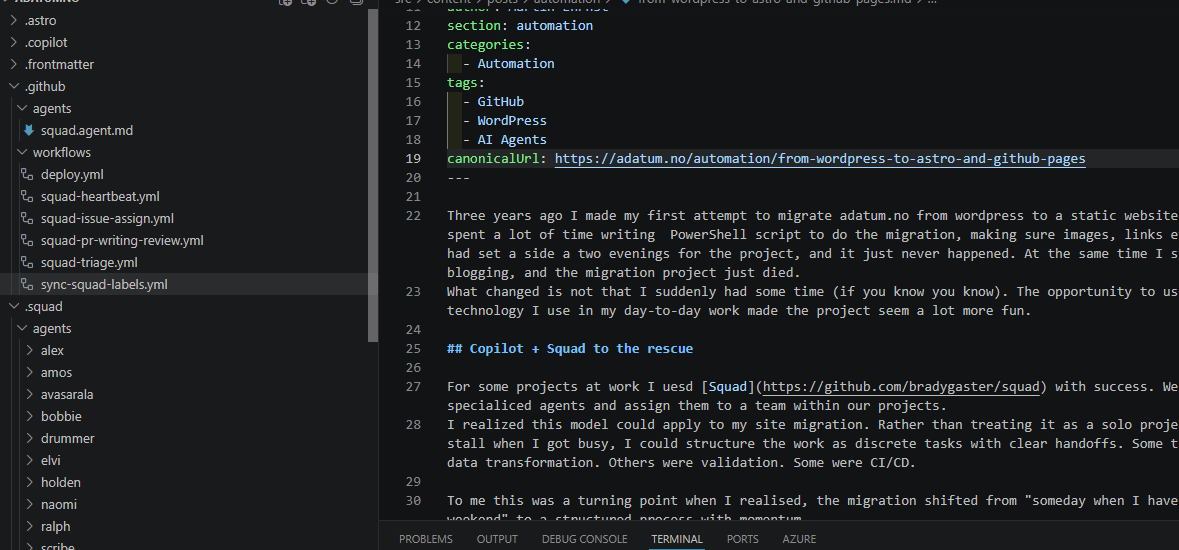
After exporting all my blogs and pages from my wordpress site I hired my team to do the migration and set up a static page using Astro to be hosted on GitHub pages. After describing what i want to do, Squad automatically set up a team of agents for me with different roles. A leader dispatches the work in paralell to sub agents which perform the work. They share the history and log for the project and use this as context.
For the first part of the migration my Squad consited of a “team lead”, a migration engineer, frontend developer and a deployment engineer. The last one responsible for the GitHub setup (workflows).
The core migration unfolded in distinct phases, each with a clear purpose:
Phase 1: Export and schema design
I exported the WordPress content and defined the Astro structure. This was about deciding what to preserve, what format to use, and where to track that we had done the work. The key decision was simple: keep existing URLs intact, and store migration metadata in frontmatter so I could always see where each piece came from.
Phase 2: Content conversion and transformation
This is where the structured workflow paid off. Rather than manually converting hundreds of posts and pages, I described the transformation logic—extract markdown, normalize dates, rewrite image references, validate structure—and the agents worked through batches in parallel. Each step had a clear contract: input format, output requirements, validation rules. When one step failed, we knew exactly where and why.
Phase 3: Validation and metadata repair
After conversion, I had a complete site structure, but metadata states were inconsistent. Posts came through with mixed published/draft flags, date formats varied, and some references were incomplete. At this stage I “hired” a QA agent to make sure no links, images and so on where broken.
Phase 4: Deployment pipeline setup
Once the content was solid, I moved to the infrastructure side. Agents made sure Astro built locally before we moved to GitHub pages. This is one of the phases which required me to hold the wheel. It might be me being poor with agents, but even with Playwright runnig for the agents, they dont necesseraly “see” the same as I see. CSS still breaks, 404s happen because URLs changes from localhost to a live site, etc.
Technical base: Astro and GitHub Pages
The platform choice supports the workflow I wanted, but it is the collaboration model that made the migration happen.
Astro handles the structure: file-based content collections, schema validation, build-time optimization. Posts are markdown files with frontmatter. The static output deploys cleanly.
GitHub Pages provides the hosting: no servers to maintain, no plugin ecosystem to manage, no theme update cycles to track. The site is just HTML, CSS, and JavaScript served from a git repo.
GitHub Actions glues it together. The build runs on every push, tests pass or fail loudly, and deployments are deterministic. If something breaks, I redeploy a previous build without rewriting git history.
This stack is small and predictable. That matters because I can now automate safely. Copilot agents can propose changes to content, run validation, and I can review diffs before they merge. That is a genuinely new capability for how I work.
What comes next
The core migration is done, and the workflow is where I wanted it: version-controlled writing, lower maintenance overhead, and a platform designed for long-term automation.
Next I want to hire two new agents, one for research on new content and one writing coach. The writing coach need to learn my “tone of voice” and in the same way, help me write better. I will still write most stuff on my own! I will also try to redo the design, as this was the first pass from my frontend agent, and I’m not 100% sold…