azure
Azure token from a custom app registration
There’s no secret you can get an Azure AD token and access API resources like Microsoft Graph, Azure Resource Manager (ARM), etc. It’s also pretty straightforward to authenticate a custom API using client credentials. In fact, I have written about how to do that previously where we accessed a custom API built on Azure Functions. Authentication-wise, I also wrote a post on how to access the Azure Monitor REST APIs using client credentials (app registration).
Get an Azure token with delegated user credentials from a custom API
The above examples are fine. But they both use a separate app registration for authenticating against our custom API, the Azure Function, and against ARM to access Azure Monitor. But what if I want to use my own, personal credentials instead of client credentials. For ARM resources, like Azure Monitor, Resource Graph, etc. You can do that already using Azure CLI, or the PowerShell example below.
Get-AzAccessToken -ResourceUrl "https://management.azure.com"```
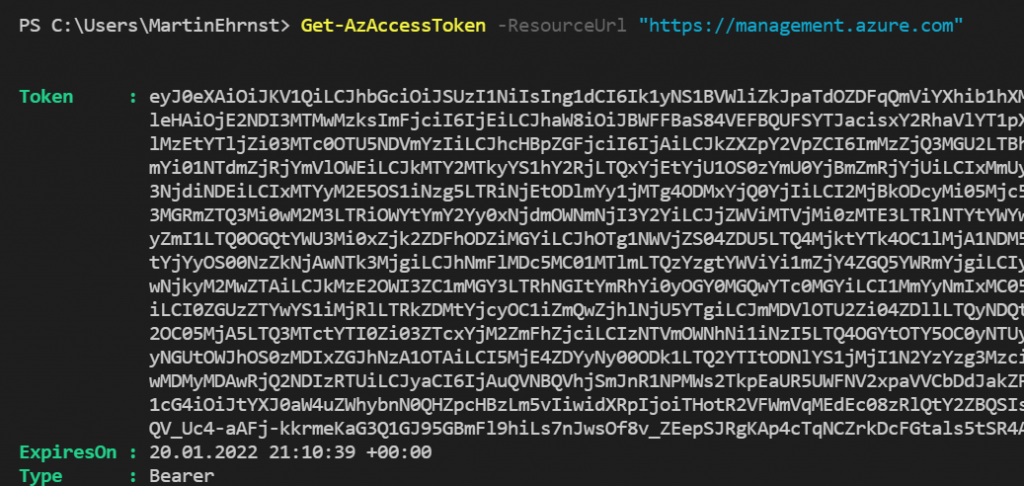
Wheater you use Az CLI or PowerShell, the output is similar to the above. you can decipher the token using [jwt.io](http://jwt.io/). And get a human-readable output.
Always be careful when using services like JWT.io Your token is after all your credentials and can give access to resources.
## App registration expose an API
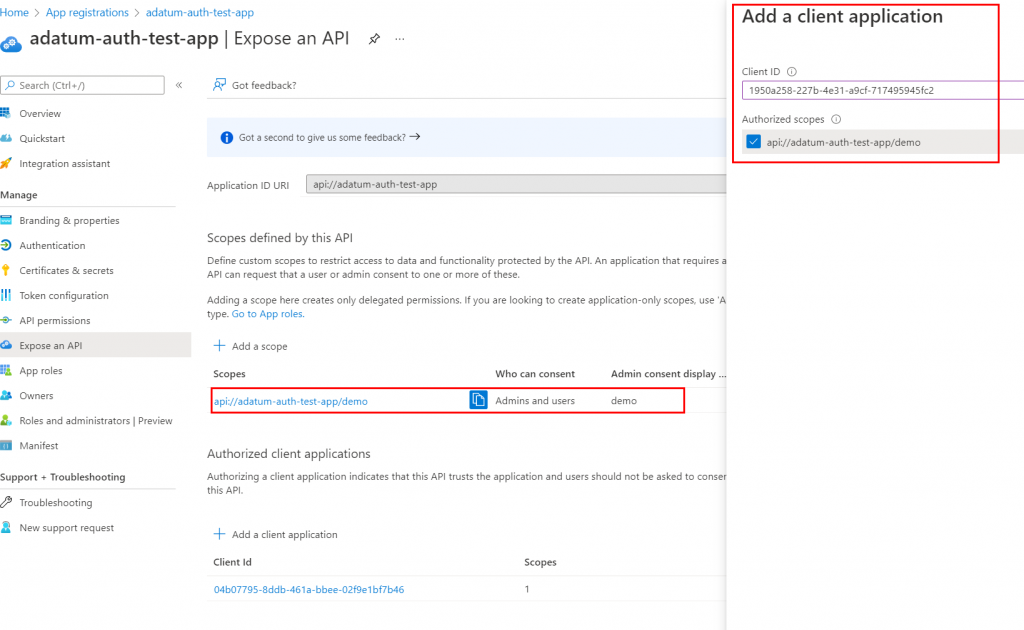
Instead of specifying ARM as we did above, you can also generate a token against your custom app registration using delegated permissions from Azure CLI or PowerShell. The secret lies in the “expose and API”, or more specifically, “Authorized client applications”.
To allow delegated access and the ability to receive a token from your custom app registration do the following
- Make sure your user is allowed to access the app, you can add that in the enterprise app blade.- Create a scope under “expose an API”- Add client application(s) to the scopeAzure CLI well-known client application ID: `04b07795-8ddb-461a-bbee-02f9e1bf7b46`- Azure PowerShell well-known client application ID: `1950a258-227b-4e31-a9cf-717495945fc2`
## Get access token from custom API using Azure CLI or PowerShell
Pull out your favorite shell and change you’re `ResourceUrl` from `management.azure.com` to your app id or URI. In my case, this is `api://adatum-auth-test-app`
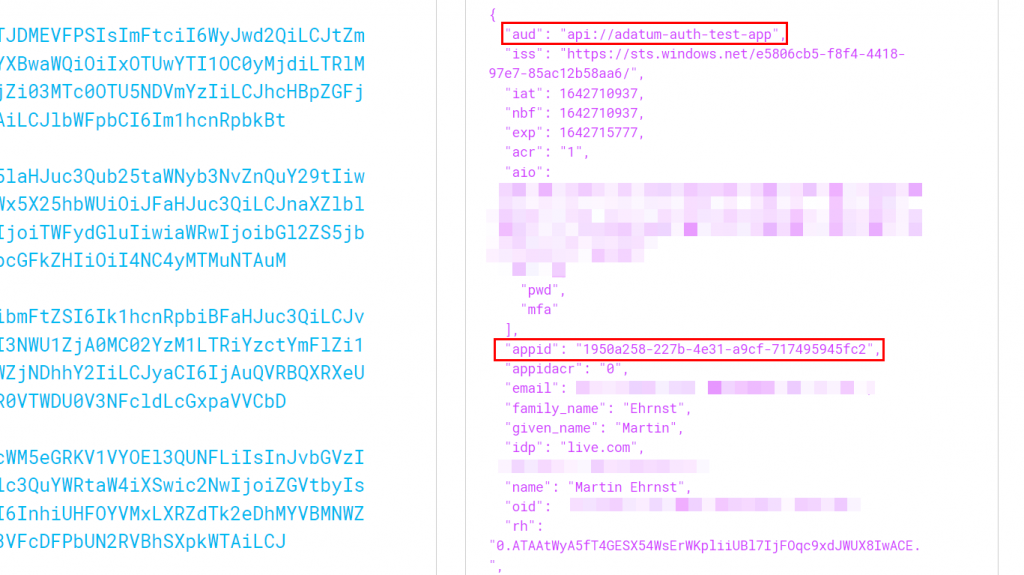
After getting the token you can again use JWT.io and see the details. Pay attention to the appId and aud. AppId in this case is Azure PowerShell.
## Final words
This post has been laying around in my draft for more than a year. But yesterday I got a question from a colleague about this and figured it was time to release it to the masses.
The reason I had it laying in drafts is that I am unsure of the supportability from Microsoft and the potential security vulnerability it may add to your services. However, keep that in mind and use the feature when needed.
[If you want to learn more about application registrations, enterprise apps, and managed identities in general. Please read my other post about the topic.](https://adatum.no/azure/azure-active-directory/azure-application-registrations-enterprise-app-managed-identities)
###